

The creep of artificial intelligence (AI) into the workforce
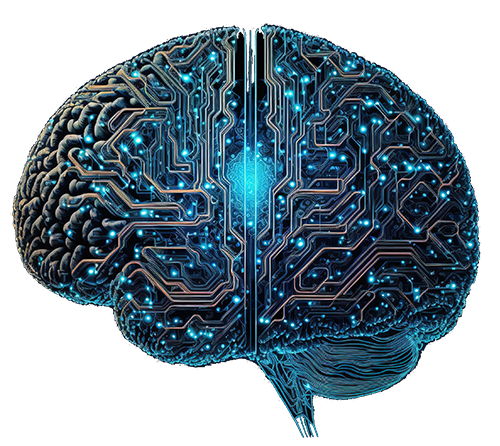 As a UX content writer and designer, it seems every contract I apply for asks about artificial intelligence. I can’t seem to escape it.
Do I currently use AI in my daily life?
How did my previous UX content design contracts incorporate artificial intelligence?
Has AI benefited my UX design work process? Harmed it?
These latter two questions are especially relevant, so let’s address them. To begin, it’s important to note the limits of artificial intelligence’s benefits and detriments alike. Both manifest based on how extensively AI is used and how much the user leans on it. It’s also important to recognize that there is more than one type of “artificial intelligence”, but we’ll keep it simple for this article:
- Generative artificial intelligence (gen AI): This type of AI is trained on source data (images, text, audio, video) to create (“generate”) new content. This is the sort of AI that is used to create deepfake videos and the like.
- Information-processing artificial intelligence: This broad AI category covers systems that ingest, analyze, and derive meaning and context from source data. Search engine artificial intelligence that summarizes (not always correctly) results from a variety of sources is a common example.’
- Agentic artificial intelligence: Prompts are used to assign the AI a task within the boundaries of its knowledge, tools, and access, which it then performs on its own. Although human correction may follow to fix mistakes or clarify, agentic AI largely operates on its own as though a separate team member. Agentic AI can also crossover with both information-processing and generative AI as part of its assigned tasks.
That being said, let’s dive in.
The arguments for artificial intelligence (AI) in UX design
Given the negative shade normally tossed on artificial intelligence, we’ll start with AI’s upsides.
Artificial intelligence (AI) learns from your teams
More than just helping your UX design teams, artificial intelligence can learn from their work. In doing so, it can use patterns to anticipate what a UX designer needs. This resembles the common shared-asset libraries that are the norm for such processes. However, instead of drawing on what already exists, artificial intelligence can anticipate your teams’ needs and create new assets. It can also adjust existing assets on the fly.
In addition to streamlining your UX design teams’ workflows, AI can improve their security. By learning your UX design teams’ schedules and processes, some AI deployments can recognize breaks from those patterns. It can then respond accordingly within provided parameters. For example, noting unusual login behaviours or attempts to access files and systems that aren’t often used by the team can initiate a security response. No matter how much better password protection, firewalls, and multiple authentication steps improve security, AI pattern recognition can be key in fighting vulnerabilities created by the human element.
Better security is invaluable to UX design teams working with proprietary information or customer data services.
It frees up time
One of the more logical applications for AI is to save us time. Much of our day is eaten up doing unavoidable, repetitive, low-effort tasks. In UX design, common examples include asset and layer management, content population (i.e., lorem ipsum), and cloning design elements. Artificial intelligence (AI) can also draw from existing content and populate a new prototype with an approximation rather than lorem ipsum. It can identify a new wireframe that resembles other projects and populate it with similar elements in anticipation of the designer’s needs. AI can also autofill content and code when it detects the user is doing something they’ve done before.
Beyond tasks specifically related to UX design, artificial intelligence can help with administrative tasks. Need help organizing files and folders? What about organizing your calendar and meetings? Need some notes transcribed? Having trouble incorporating some outdated content formats into your new system? Artificial intelligence (AI) can help with all of these things and more.
Undoubtedly, AI can save a UX design team a lot of grunt work, giving them more time to focus on projects. All of this may not seem like much, but the time saved adds up for a busy UX design team. When it comes to “work smarter, not harder,” AI really can make a difference.
AI helps with accessibility
One of the brightest potential benefits of artificial intelligence is for digital accessibility solutioning. The smarter AI becomes, the better it is at auditing according to all the Web Content Accessibility Guidelines (WCAG.) Right now, it has difficulty with the more subjective aspects (e.g., appropriately describing an image with ALT text) that aren’t a simple pass-fail test and outcome (e.g., colour contrast). The more subjective source material artificial intelligence has to draw from, the more noncompliant instances it will identify.
With content use, artificial intelligence can help in several ways. It can create video and voice call transcripts, subtitles, and captions in real-time. AI helps users with physical disabilities that can interfere with their ability to use content controls. This introduces new content and design options for UX design solutions and also makes the job easier for UX designers with disabilities.
Despite WCAG standards and best practices, content has been slow to keep up with ALT text requirements. Storefronts and long-standing websites with grandfathered WCAG exemptions still frequently fall short. Automated ALT text mechanisms also often fail to be a reliable solution. Instead of providing accurate ALT text (especially for text-in-images), it usually auto-fills with the image file name. Artificial intelligence can help with this by scanning images and automatically generating accurate ALT text. Such a tool is especially helpful for employing existing optical character recognition (OCR) in a smart, automated fashion.
Soon, AI will help UX design teams identify most (if not all) subjective accessibility defects during development.
Research becomes faster, easier, and broader in scope
Research has always been a critical aspect of UX design to stay on top of changing trends and standards. Growing access to artificial intelligence (AI) has expanded this need. The end user’s/customer’s increasing reliance on artificial intelligence to make important decisions means UX design has to keep up. For example, the paradigm shift in content from search engine optimization (SEO) to generative engine optimization (GEO) means changing how UX design teams create webpages and apps to present content. As a result, thorough research is now more important to UX design than ever.
Helping to understand analytics and testing metrics
Artificial intelligence (AI) allows dives into analytics and their relationship to UX design like never before. AI can quickly examine data patterns that would take a person hours (if not longer, if ever) to study. It can anticipate how those patterns would impact a UX design in development. Although not a replacement for the actual rollout and live A/B testing, artificial intelligence can inform UX design teams of potential mistakes and less-than-optimal choices. Some AI systems can even offer alternate suggestions.
AI-assisted development-stage course corrections make design launches more reliable. It leads to fewer post-launch changes.
Helping with competitor analysis
Competitor analysis/competative intelligence (CI) is another necessary aspect of effective UX design. Knowing what your competition is doing to reach your project’s intended objectives can not only inform you of what to do, but also of what doesn’t work. Artificial intelligence competitor analysis can help by running deep crawls on a competitor’s online resources, extracting information about its content but also (to a limited degree) about how it’s used.
Job creation
With new technology comes new jobs for people who know how to best use, develop, maintain, and improve it. Artificial intelligence (AI) is no different. Putting aside those that generally apply to the AI field (e.g., machine learning experts), UX design teams also find new roles being made. Here are some examples:
- Auditors: people familiar with AI tools used to scan designs for accessibility defects and usability deficiencies.
- Developers: using AI in a UX design workflow means hiring people who can effectively integrate it and improve it to meet existing and anticipated needs.
- Trainers: UX design’s unique needs require experts who can train AI for the process’s particular demands. And because UX design trends are always in flux, training is an ongoing process that requires constant updating.
- UX designers: as with other paradigm shifts in UX design (e.g., WCAG requirements), implementing AI requires everyone to update their skills to remain relevant (and employable).
- Integration specialist: experts at adopting existing workflows to incorporate AI. If they’re doing their job properly, they should help the company in more than practical terms. They should also help the company design and implement policies and best practices around the AI integration rollout.
Generative artificial intelligence (AI) opens gateways
Easily the most controversial realm of AI is generative artificial intelligence (gen AI.) I’ll talk about why this is later, but for now, let’s go over some of the benefits.
One of the most common arguments made in favour of generative artificial intelligence is that it opens doors for people. That is to say, generative artificial intelligence fills skill gaps. It enables people to produce content they would otherwise be unable to output. Arguably the most controversial example is using it to create images and video. Generative AI enables UX designers to test various placeholder and test visuals without committing to stock photo purchases and the like. It permits a degree of customization that is otherwise very expensive. Generative AI is also used in written content and development to present prose and blocks of code, respectively.
For the time being, generative AI’s role in UX design seems largely limited to saving time. It does so by handling repetitive visual design tasks and serving as a starting point for generating written content and code. Undoubtedly, this will continue to change as companies increasingly train their generative AI systems on human output.
In the UX design space, tools like Figma Weave are looking for new ways to incorporate artificial intelligence. Weave, for example, is a node-based generative AI tool that integrates multiple platforms into a single tool. This will allow Figma users to have greater control over generating images, video, and 3D modeling directly into Figma UX design workflows.
The arguments against artificial intelligence (AI) in UX design
Having covered the benefits of AI in UX design, let’s address some of the downsides. I’m sticking specifically to the negative impact on UX design. I’m going to put aside issues like the environmental impact of data centers and the harm caused to cognitive ability and development.
Lost jobs
Given that I mentioned earlier that job creation is a benefit of using AI in UX design, it may seem contradictory to also mention potential job loss. Give me a moment, and I’ll explain. New technology often creates new jobs just as it makes others less necessary or even obsolete. When cars started seeing wider use, for example, automotive mechanics became in demand. However, wagon drivers, blacksmiths, and other horse-related jobs declined sharply. The same is happening in UX design. Even as new jobs emerge to sustain and advance artificial intelligence in UX design, other jobs are dwindling. Let’s consider an example to see how and why this is so.
UX design teams may currently have four or five code developers to ensure they meet their tight deadlines. As their employer starts deploying more AI-driven tools and processes into their workflow, an increasing amount of the work those coders do becomes automated. With more automation, code developers need less time to get their work done. While deadlines become easier to meet, they can only become so much shorter. So, this leaves less work for the team, which in turn reduces the need for a larger team. The result is layoffs, firings, and fewer new coder jobs opening up.
Employee morale
When it comes to how using AI in the workplace affects employees, it’s a double-edged sword. Many employees enjoy how AI-driven tools reduce workload and tedious tasks. It can also offer a starting point when they are stumped or out of ideas. However, as with many new technologies, there’s a lot of concern about job security that comes with AI—and with good reason. Employees see how excited executives and managers are about the possibilities that AI opens up. Some are even being asked to help train these tools to function better in the workplace. Understandably, that comes across as being asked to train your replacement. No one likes that feeling.
Gig economy + AI = uncertainty
As it is, UX design was already becoming uncertain despite its rapid (current) growth. The fact that the field is largely operating as a gig economy means there is already plenty of insecurity about the future of employment to go around. It seems everyone is cutting back on full-time positions in favour of short-term contracts with the hope of extension. The problem is that, even with an extension, company policies always impose a hard stop on contracts (typically at two years). This is followed by a “cooling-off” period (about three months) before a new contract can be offered. Bring AI into the mix, and the concern becomes one of AI doing more work for people. This inevitably raises concerns about needing fewer people on UX design teams.
Of course, the more companies rely on AI in their UX design workflow, the easier it is for employers to be picky. This has amplified as the gig economy becomes more saturated and competitive. UX designers with years of experience are being passed over because they can’t answer vague questions about AI tools. What’s worse, those interviews are conducted by companies that, as likely as not, don’t yet know how they will fully take advantage of those tools.
Ethics and legalities
Ethical use of artificial intelligence is not possible without consent. The people who provide the data used to train AI must give permission for their output to be used in this fashion. Unfortunately, this is not currently the norm. Also, despite some new generative AI case law, the law hasn’t (as of this article’s writing) caught up to artificial intelligence.
Information (and thus learning model data) that is available to the public (e.g., posted online) isn’t the same as it being in the public domain. That is to say, just because you can access information online (e.g., someone’s writing or artwork) doesn’t mean you can legally use it for whatever you want. This includes feeding that information into an artificial intelligence learning model.
Another problem is that what a UX design team produces for its employer remains that employer’s property. The content writers, visual designers, and coders have no legal claim to their work. We UX designers all know and accept this. So why is this now a problem? Increasingly, those employers are taking human output and feeding it into artificial intelligence to train the software. As an independent creative writer, I refuse to allow my copyrighted work to be used to train machine learning models. As a UX design content writer working for a large corporation, I have no say in the matter.
My personal take
Do I accept the legalities of what those UX design employers are doing with my work? Yes. Do I feel good about it, given I could be helping to train a machine to replace me and my peers? No.
Sadly, I’ve not yet worked for a company that gave me the option to opt out of this.
Unqualified adoption
I’ve worked on multiple contracts with various national and international corporations since artificial intelligence (AI) transitioned from a buzzword to a functional tool. In that time, I’ve attended more mandatory team- and enterprise-wide meetings about adopting AI than I care to think about. The common theme?
“We’re going to start using artificial intelligence in a major way. Ummm … any ideas on how we should do it?”
Often, it seems corporations don’t know what to do with AI. (There are exceptions, like software UX design teams are already using, such as Figma and Adobe Creative Cloud Suite.) Instead, there seems to be a rush to adopt AI into workflows. Companies don’t want to appear to be falling behind. Team leaders, executives, and interviewers all seem very interested in how I incorporate artificial intelligence into my work. Questions in this regard now come up in every interview I do for a new contract. Unfortunately, these questions are usually phrased as if employers are hoping I’ll clue them in on how to do this. The questions rarely come across as probing my level of understanding and expertise.
As with adopting anything into UX design workflows, artificial intelligence presents an opportunity for great achievements but arguably greater risk. UX design teams need to identify the spaces where artificial intelligence can aid their existing work. Creating a space for AI for its own sake is a recipe for disaster. The former lightens the load, whereas the latter creates risk. Consider how the failed Ford AI adoption effort went, as it cost them billions and forced them to rehire hundreds of engineers they fired in favour of AI.
Need for policy and practices updates
Taking a “plug and play” approach to incorporating artificial intelligence into your UX design process is dangerous. In the rush to incorporate AI into their workflows, many companies are overlooking first steps. These first steps include appropriately auditing their processes and policies. Without properly implemented AI policy and practices, your UX design teams can create entirely new problems. For instance, they could quickly burn through their AI tokens while making artificial assistance modules and generative AI images.
Do your stakeholders not approve of your wireframes?
Do they not like the generative AI tables or decorative images you’ve made?
Well, let’s spend more AI tokens to create more options. After all, that’s what UX design teams currently do with the non-artificial intelligence tools available to them. You’ll need proper checks and balances in place before the monthly AI tokens bill arrives. Just ask this company that learned this lesson the hard way to the tune of $500 million in one month.
It takes time and expertise to adequately audit a company to properly integrate artificial intelligence (AI). You may require new training and software to limit and monitor AI token use. Of course, this is on top of the time and money needed to design the necessary changes. Not all companies understand this need (or are willing to spend the money), leaving it undone. This leaves the company exposed to liability and puts people’s jobs at risk.
Artificial Intelligence (AI) can present errors as correct
Despite how useful it can be, artificial intelligence is only as good as the training data it is fed. Much like a person can, AI can learn something incorrectly and “believe” it is correct. Currently, many AI engines designed to answer questions (e.g., Google Gemini, Grok) suffer serious accuracy issues. Why? Well, in Grok’s case, it’s because it’s wed to a social media platform (X) and what people say on it. It’s like teaching a child about the world by making it learn from social media. (And just one platform, at that.) This means it learns from subjective opinions, misinformation, and bias rather than objective facts. Grok treats that mess of subjective data like it’s all true. It then spits it out to users as fact. This can go so far as to present an AI hallucination.
So, a human error in a UX design asset will be perpetuated by an AI tool that learns from it. Indeed, there’s a very real risk the AI will introduce that learned error into new assets it generates.
Grammarly, a case study in AI issues with context
Context also remains difficult territory for AI to navigate because it is largely subjective. For example, a common problem with AI-driven grammar and spellcheckers is their lack of context. It can’t cope with the fact that grammar aspects are appropriate in some instances but not others. Most writing forms avoid passive voice, for example. However, the passive voice is acceptable when writing dialogue or content you want to sound natural and personable. This is a common issue I’ve encountered with Grammarly.
Grammarly has settings that allow users to choose an overall context (e.g., business) for their content. However, it still doesn’t easily address context changes within the same work. This means many of the “corrections” it suggests under these circumstances aren’t actually fixes. They are merely alternatives or outright contextually incorrect.
The proverb “trust but verify” becomes “don’t trust and verify” in the world of AI
No matter how helpful and reliable artificial intelligence may seem, the human user should always be skeptical of its output. If AI output isn’t constantly reviewed and double-checked, errors will creep into one’s workflow. In UX design, this entails a degree of professional liability and risk (perhaps even financial and legal) for the enterprise. Having human proofread AI output takes time, thereby reducing the time-saving benefits AI offers on the front end.
Risk of an AI bubble
There is a very real risk of an AI bubble much like the Dotcom bubble. An AI bubble is already forming due to the rapid rush to invest and build infrastructure to support artificial intelligence. This, in turn, creates demand for AI specialists, data centers, and the like. An AI bubble burst puts at risk all companies that have invested in developing AI assets and services.
For UX design, platforms and tools we’ve come to rely on may simply disappear overnight. Why? The bursting bubble will likely take down the companies offering them. Figma is pretty much the standard for most UX design teams these days. Its owner is heavily investing in a future with AI. If a bursting AI bubble takes out Figma, every company currently using it will suffer. They will have to scramble to find a way to continue with existing projects without Figma. That will likely include recreating assets and projects that are no longer accessible for export, archiving, or working on.
Of course, all those new jobs built around AI will also fall alongside the services that created them.
In conclusion …
Artificial intelligence (AI) is at its best when it is used as a tool. It shines when it supplements human ability rather than replacing it. When AI is seen as superior or an alternative to the human role, it becomes a vulnerability, risk, and liability. Like many industries, UX design is currently trying to run with AI instead of walking alongside it cautiously. We’re doing so at such a breakneck speed that we risk tripping and forgetting that we can just walk instead.
What will the future hold for AI in UX design (and in general)? Only time will tell.
Leave your thoughts and opinions in the comments. Let’s keep the conversation on artificial intelligence (AI) in UX design going.